
Changelog
·
v2.8
Two Ways to Hold It
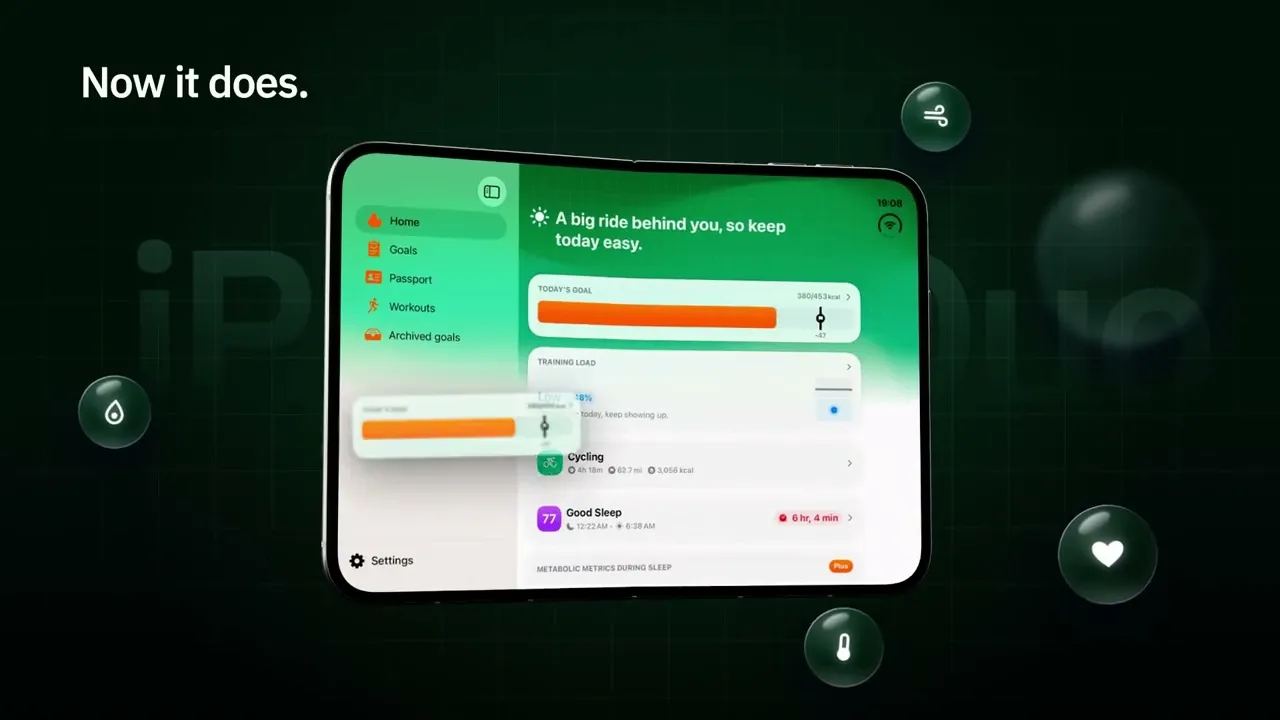
Closed in your pocket, open on the couch. FitWoody now lays itself out for iPhone Duo, whichever way you hold it.

A screen that folds isn’t a bigger screen. It’s two different moments.
There’s the version of you standing at the bus stop, phone closed, thumb doing all the work. You want one thing: how am I doing today? A number, a color, a yes or a no. Then the phone goes back in your pocket.
And there’s the version of you on the couch in the evening, phone opened wide, with time to actually look. Why was last night so short? What did that long ride really cost you? That version doesn’t want a glance. It wants room.
Most apps treat those two moments as one, just stretched. The same screen, only bigger. We could have done that too. It would have been easier, and it would have been wrong.
So we asked what each moment needs, and built for both.
When it’s closed
On the outer screen, FitWoody fits completely, with nothing hiding behind the camera. The buttons line up beside it, out of the way. A workout’s numbers and a night’s numbers sit in two columns, so you read them at a glance instead of scrolling for them.
It’s the FitWoody you already know, sized for your hand.
When it opens
Unfold it and the app unfolds with you. A sidebar appears, with Home, Goals, Passport and Workouts one tap away, and everything else gets the space it was always asking for. The map of your ride runs from edge to edge. Your night stretches out wide enough to read stage by stage.
Fold or unfold in the middle of a workout or a night, and you stay right where you were.
The fold is part of the design
The first thing you see in FitWoody is now the place where the fold shows most. Open, the welcome screens sit on either side of the fold, the picture on one half and the words on the other. Half folded, the sign-in screen splits in two to match. Closed and on its side, every step puts its picture and its words next to each other and keeps clear of the camera.
Small things moved too. When the keyboard is up, Continue moves into the keyboard’s own bar instead of climbing over the keys.
One more thing
None of this is a separate app for iPhone Duo. It’s the same FitWoody on every device, reading the shape of the screen in front of it and settling in. When the next new shape comes along, it will already know what to ask.
Two moments, one app
We didn’t add anything to FitWoody that it didn’t already know about you. Your sleep, your effort, your recovery are where they always were.
What changed is that the app finally fits both versions of you. The one with a minute. And the one with an evening.
Hold it however you like. It follows.