
Changelog
·
v2.7
You Shouldn't Have to Go Looking
Ask Siri, find it in Spotlight, spread it across your Mac. FitWoody now meets you wherever the question comes up.

The question was simple. Getting to the answer wasn't.
You wake up and you want to know one thing. How did I sleep? Or you finish a ride, stand in the kitchen still breathing hard, and wonder how it went. A plain question. You already know how to ask it.
And then comes the ritual. Find the phone. Unlock it. Find the app. Open it. Tap through to the right screen. By the time the answer arrives, the moment that made you curious has moved on.
That was never the question's fault. It was ours. An app is a place you have to go to, and your day doesn't happen inside an app.
So we stopped waiting for you to come to us.
Just ask
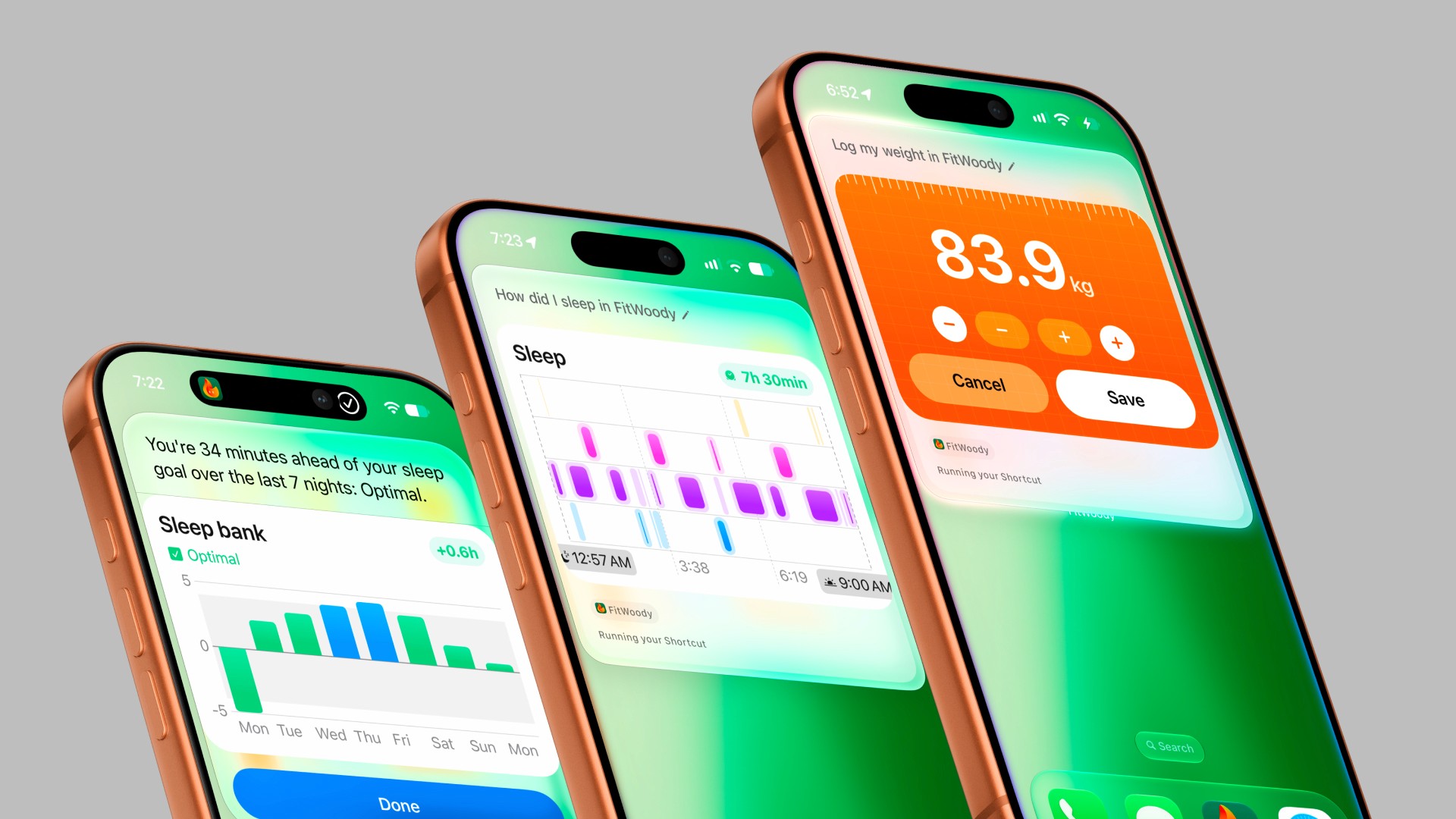
FitWoody now works with Siri AI from end to end. Ask how you slept and hear the answer. Ask about the workout on your screen, from anywhere in the app, and FitWoody knows which one you mean.
Logging works the same way. Tell Siri your weight, your blood pressure, any of nine readings, and a small card appears right in the conversation. Nudge the number before it saves. Change your mind afterwards. No keyboard, no menus, a few seconds.
All the thinking happens on your iPhone, which is why Siri still answers in airplane mode. Siri AI works wherever Apple has made it available, and everything else in this release works everywhere.
Where you already search
Your workouts, your nights and your health readings now live in Spotlight, right next to your messages and your photos. Type what you're looking for and it's there.
And in Shortcuts, you can ask for your own data in your own way. Runs over 10 km, sorted by date. The nights you slept longest. Views we never designed, because you don't need us to.
And when you do sit down with it
Some days a quick answer is enough. Other days you want to spread out and really look.
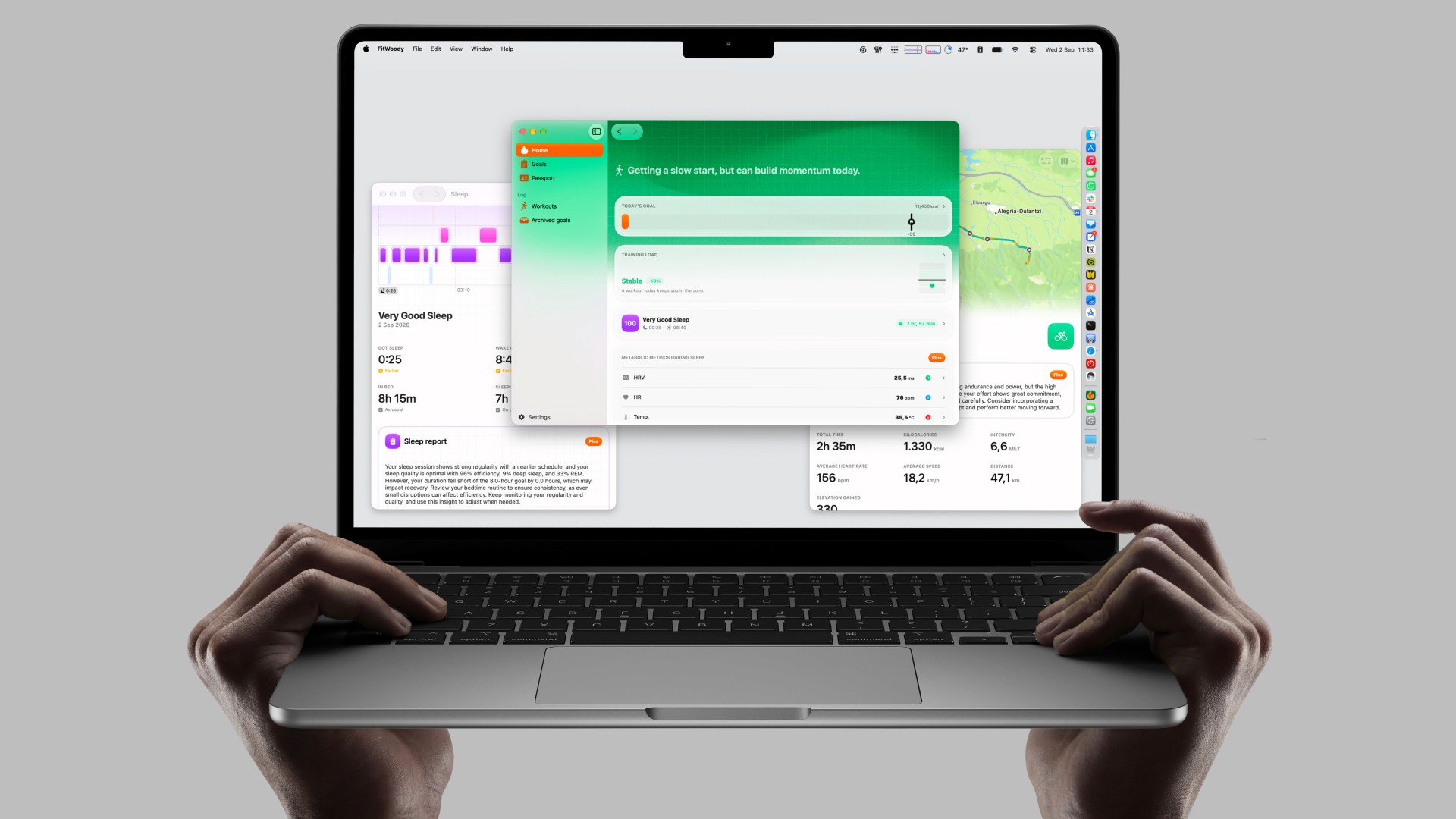
So FitWoody now has a Mac app of its own, native, with everything the iPhone app does. Open last night's sleep in one window and this week's training load in another, and read them side by side. There's a real menu bar, keyboard shortcuts, Settings exactly where a Mac user reaches for them, desktop widgets, and Handoff to carry on from your iPhone. It's included in your subscription.
On iPad, FitWoody finally multitasks the way the rest of your iPad does, with multiple windows, shortcuts and a menu bar. And every screen, on every device, now adapts to the space it's given, instead of assuming there's only one shape it can be.
One more thing
The week iOS 27 arrived, Apple picked FitWoody for its App Store selection of great apps for iOS 27.
We built this release for the moment you ask a question, not to be noticed. But we would be lying if we said it didn't make our week.
The answers were always there
We didn't make FitWoody know anything new about you. Your sleep, your effort, your recovery were already here.
What changed is the distance between the question and the answer. Shorter now. Sometimes as short as saying it out loud.
You shouldn't have to go looking. Now you don't.