







How to use FitWoody
Table of Content
Widgets
Stay connected to your daily and long-term progress with beautiful, real-time iPhone widgets.
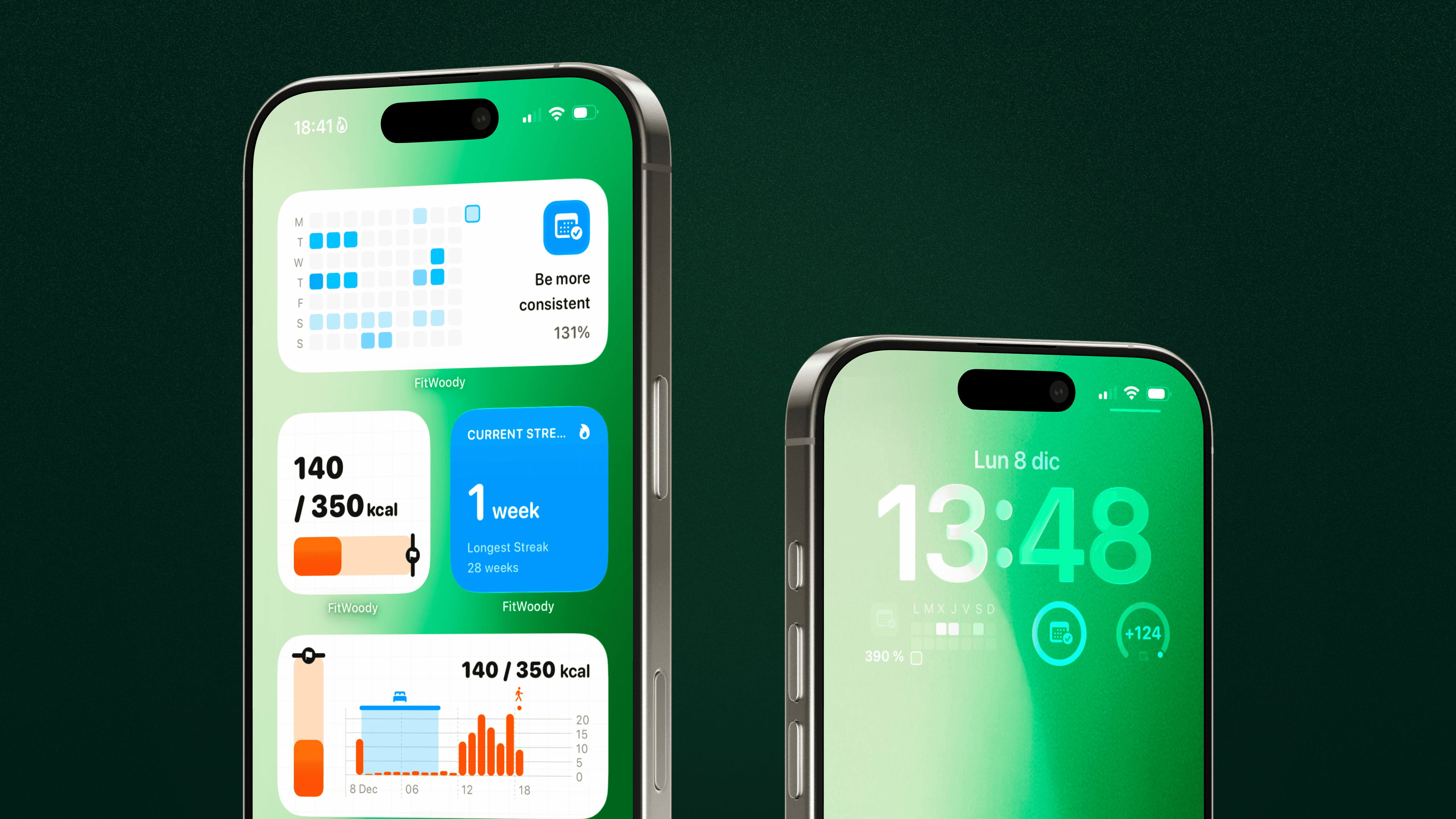
FitWoody includes several widgets so you can see your progress throughout the day without opening the app. They’re available in multiple sizes and styles, and all update in real time.
Here’s what you can add to your Home Screen or Lock Screen:
Daily Activity Widget
Shows your:
– Active kilocalories
– Daily activity goal
– How close you are to completing it
Perfect for keeping track of today’s movement with a single glance.
Annual Exercise Goal Widget
Visualizes your long-term consistency with:
– Your streak
– Whether you’re ahead or behind your yearly plan
– Weekly or daily completion squares
It uses the color you selected for your goal, so everything stays instantly recognizable.
Streak Widget
A compact widget showing:
– Your current streak
– Your longest streak
Ideal for Home Screen setups with limited space.
Activity Chart Widget
Provides a deeper view of your day with:
– Hourly active calories
– A graph of your movement
– Your daily goal progress
Great for understanding the rhythm of your day at a glance.
Lock Screen Complications
Add ultra-clean circular indicators to your Lock Screen showing:
– Daily goal progress
– Active calories
– Annual exercise goal progress
Designed to be subtle, glanceable, and always visible.
Are any widgets part of FitWoody Plus?
Yes, advanced widgets like the Annual Exercise Goal widget require an active FitWoody Plus subscription.
FitWoody includes several widgets so you can see your progress throughout the day without opening the app. They’re available in multiple sizes and styles, and all update in real time.
Here’s what you can add to your Home Screen or Lock Screen:
Daily Activity Widget
Shows your:
– Active kilocalories
– Daily activity goal
– How close you are to completing it
Perfect for keeping track of today’s movement with a single glance.
Annual Exercise Goal Widget
Visualizes your long-term consistency with:
– Your streak
– Whether you’re ahead or behind your yearly plan
– Weekly or daily completion squares
It uses the color you selected for your goal, so everything stays instantly recognizable.
Streak Widget
A compact widget showing:
– Your current streak
– Your longest streak
Ideal for Home Screen setups with limited space.
Activity Chart Widget
Provides a deeper view of your day with:
– Hourly active calories
– A graph of your movement
– Your daily goal progress
Great for understanding the rhythm of your day at a glance.
Lock Screen Complications
Add ultra-clean circular indicators to your Lock Screen showing:
– Daily goal progress
– Active calories
– Annual exercise goal progress
Designed to be subtle, glanceable, and always visible.
Are any widgets part of FitWoody Plus?
Yes, advanced widgets like the Annual Exercise Goal widget require an active FitWoody Plus subscription.